For family liaisons, counselors, front offices, and communications staff
The video your school made, in the family’s language.
Registration, orientation, the bus schedule, the drill you have to explain before it happens. You made the video once, in English, for families who speak something else at home. LinguaSend gives you one link per language, on the phone a family already has.
Every version shows whether it is a draft, AI checked, human reviewed, or approved by your organization. A delivery record shows that the link was opened and that a person pressed play, and never claims more than that.
The videos your office already sends every year
Every one of these already exists in English. The work is getting it to the family in the language they speak, on the day it matters.
Registration and enrollment walkthroughs
The same screen by screen video every family needs in August, in the language each one speaks at home.
New family orientation
The welcome tour and the first week expectations, so a family that arrives in October is not still catching up in January.
Conference preparation and follow up
What to bring and what will be discussed, then what was agreed, sent in the family’s language before and after they come in.
Safety and policy videos
Drills, attendance, bus routes, and weather closures. The message that cannot wait for a translated letter to be typed.
IEP and 504 meeting explainers
A plain video of what the meeting is, who will be in the room, and what a parent can ask for, in their language before they walk in.
The message that goes to everyone
One recording, one screen, every family in the language they speak. Not one letter translated three different ways by three different people.
How it works
The same three steps for the enrollment walkthrough and for a two minute weather closure notice.
Upload a video you own.
Send us the file, or import it from Google Drive if that is where it lives. You confirm your right to translate it, and that confirmation is kept with the video.
Choose language, region, narrator, and style.
Four plain controls, written out in words. Then read the translation line by line, with the lines it is least sure about already flagged, and fix anything you want changed.
Send one link.
Text it, email it, put it in a group chat, or print the QR code. Recipients pick their language on their phone, and you watch the receipts come back.
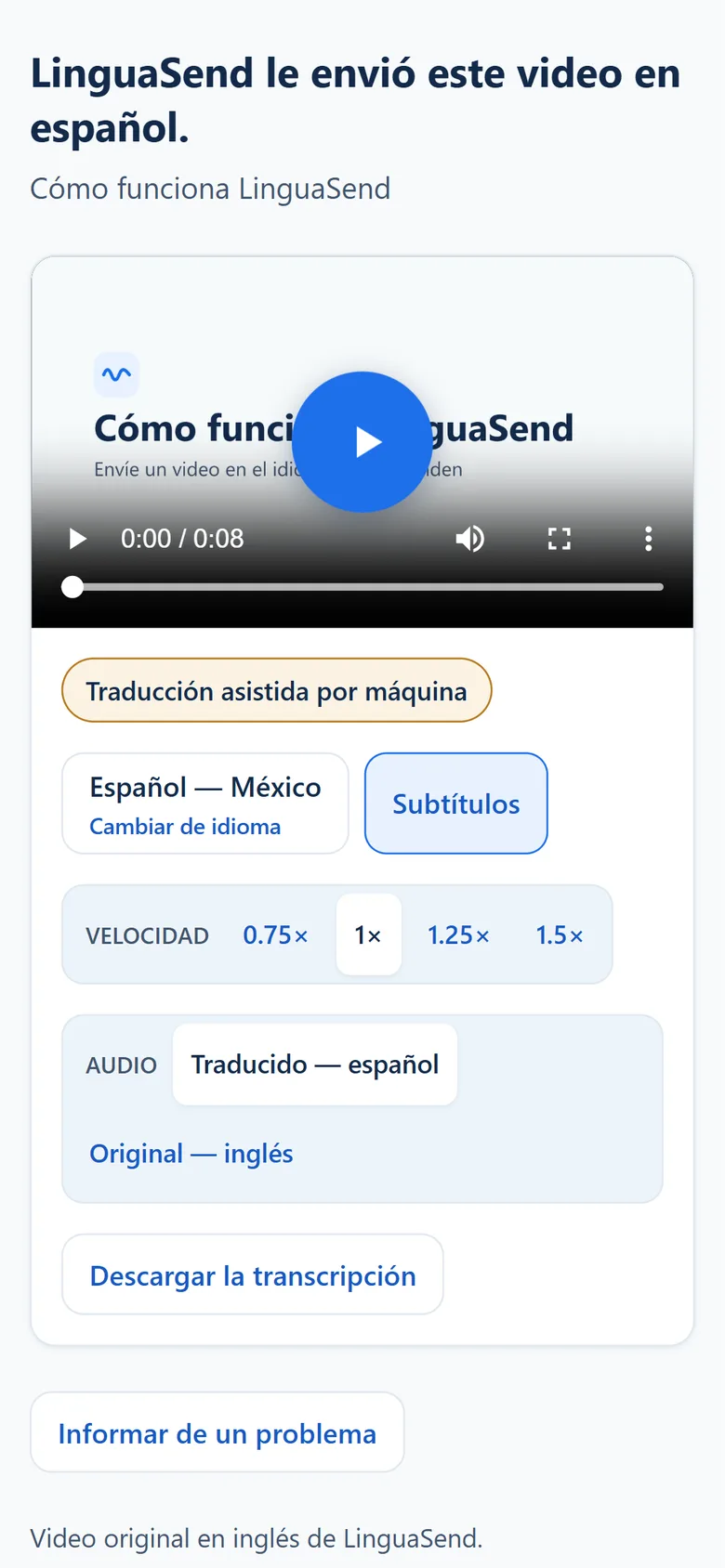
Every family gets the same message. Each one hears it in their language.
Watch it happen.
One video, one link, one person hearing it in the language they think in.
What makes it safe to send
Nothing goes out until someone says so.
Every language version starts as a draft and becomes AI checked, then human reviewed, then approved by your organization. Editing approved or reviewed text drops that version back to AI checked automatically, so an approval always refers to the words that are there now.
Nothing to install on their end.
One link that opens in the browser their phone already has, including the browsers inside WhatsApp, Facebook, and Instagram. No account, no app, no payment, and audio never starts on its own.
Captions and a transcript, every time.
Every language version carries captions and a transcript in that language, for a loud room, a quiet one, or someone who would rather read than listen.
Receipts say only what they can prove.
You see that a link was reached and, separately, that a person started playback with a tap. Email scanners and link previews never count as playback. A receipt does not prove who opened it, and it never claims anyone understood it.
Languages and voices
Spanish is here today for Mexico, the United States, and Spain. Each one gets its own wording and its own narrator, because a Mexican voice reading words written for Spain still sounds wrong.
Somali, French, Portuguese, and Arabic are selectable today. We have not yet had a native speaker rate the Somali narration, so we do not promise it until we have. Hmong is planned with human narration, recorded by a person, because no commercial voice we have tested is good enough to send to a family. Captions and a transcript come with every language version.
Questions people ask first
We are required to communicate with families in a language they understand. Does this help?
It supports that work, and we will not pretend it does more than that. Title VI and the federal guidance under it ask schools and federally funded programs to take reasonable steps to communicate with families who have limited English, and sending a video in the language a family speaks is one of those steps. Buying software never creates compliance on its own. A delivery record proves that a link was opened and that a person pressed play. It does not prove who watched it, and it never claims anyone understood it.
Do recipients need an account or an app?
No. They tap the link and it plays in the browser their phone already has, including the browsers inside WhatsApp, Facebook, and Instagram. There is nothing to install, nothing to sign in to, and nothing to pay.
Which languages and regions can I send today?
Spanish for Mexico, the United States, and Spain, each with its own wording and its own narrator. Somali, French, Portuguese, and Arabic are selectable. Hmong is planned with human narration, recorded by a person, because no commercial voice we have tested is good enough. Captions and a transcript come with every version.
How accurate is it, and who checks?
Machines do the first pass and people decide. Every version starts as a draft and becomes AI checked, then human reviewed, then org approved only when someone on your team says so. The review screen puts the original beside the translation, flags the lines it is least sure about, and lets you edit any of them. Editing approved or reviewed text drops that version back to AI checked automatically.
What happens to our data?
Your videos, transcripts, and receipts belong to your organization and stay until you delete them. LinguaSend runs on Vercel, Fly.io, Supabase, and Upstash, and uses Deepgram and OpenAI for transcription, Anthropic for translation, and ElevenLabs and Microsoft Azure Speech for narration. Under the terms we use them on, none of them may train on your content.
What does it cost, and how do we pay?
Starter is $79 a month for 150 source minutes, Team is $249 for 500, and Organization starts at $699 for 1,500 with unlimited seats. A minute is one source minute in one language, and resending a version you already translated is free. We invoice monthly today, so there is no card to enter, and recipients are never charged.
What it costs
Starter is $79 for 150 source minutes a month. A minute is one source minute in one language, and resending a version you already translated is free. We invoice monthly today, so there is no card to enter, and recipients are never charged.
Send one video to one family and see what comes back.
Sign in, upload something your school already made, and send it in a language a family has been waiting to hear it in.